Notes for your own room
Three details to noteMarks stay on this page and reset when it closes.
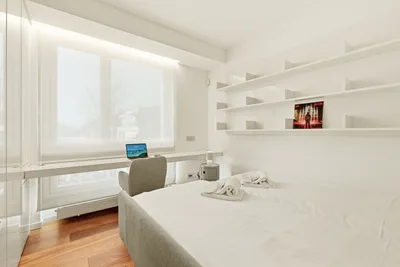
A laptop and an open notebook can compete for the same small rectangle. When typing and handwriting happen at different times, the surface can change jobs instead of carrying both arrangements all day.
The supporting piece is a nearby home for the inactive setup: a place where the closed laptop or notebook can wait without blocking another activity.
Give the desk more than one working state
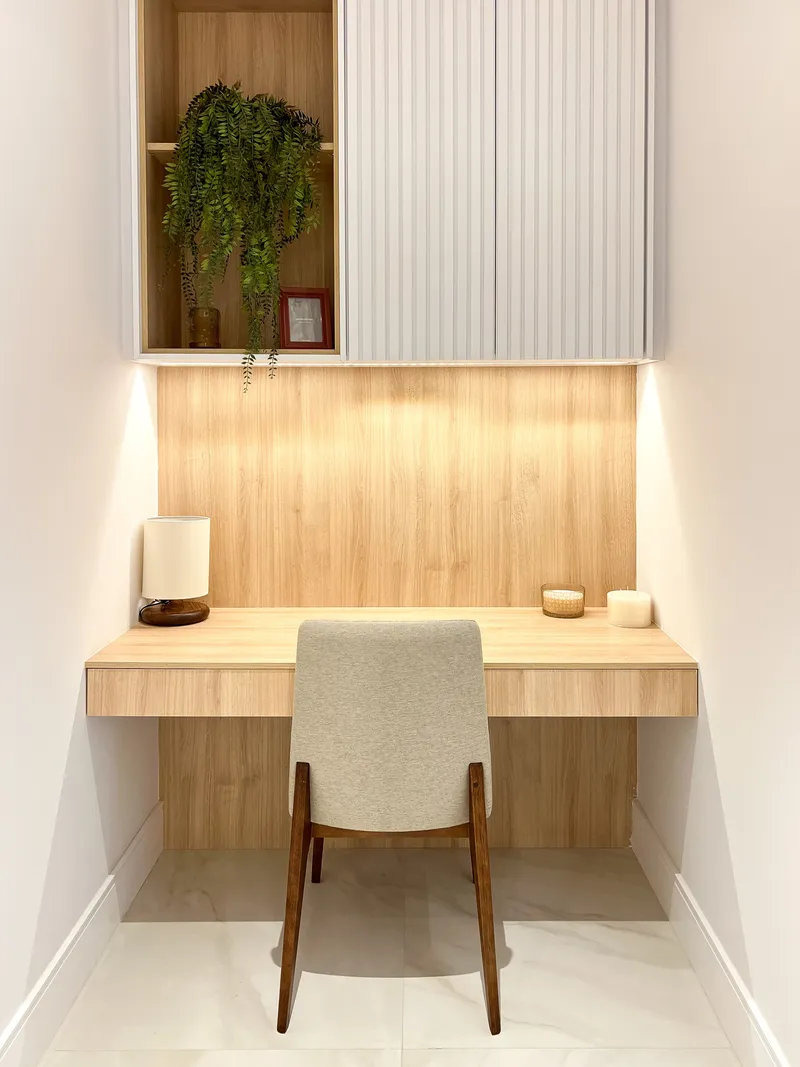
In the laptop layout, the screen and input area occupy the surface. In the handwriting layout, the notebook has room for pages and hands, with the closed laptop stored safely elsewhere.
The two-mode illustration shows that exchange. It is an example, not a requirement to move equipment constantly. A fixed setup may suit frequent switches; a portable one may suit longer sessions devoted to one kind of work.
Task-specific arrangements and grouping are discussed in Kirsh’s work on spatial organisation. Our two layouts are a practical application, not a tested productivity system.
The useful surface has edges and movement
The advertised desk size includes areas that may already belong to a monitor base, shelf support or cable bend. On a 100 x 50 cm desk, roughly 39 x 20 in, those details can change the remaining working area considerably.
Paper outlines of the actual notebook, laptop and mouse area make that difference visible. A chair also has a working footprint: room to sit, move back and open nearby furniture.
The workspace review connects the surface with screen position, hand reach, support and light. Its starting points come from OSHA’s workstation checklist; it is not a complete ergonomic assessment.
A tool can release one particular patch of space
| Part of the layout | An option and its trade-off |
|---|---|
| Small stationery on the top | Drawer trays move it below, using usable drawer height |
| Monitor base in the writing area | An arm releases that footprint but needs verified mounting and joint space |
| Laptop raised for screen use | Separate keyboard and mouse positions become part of the setup |
| Equipment moving off a shared table | A kit needs its own real parking place |
Paid link: the untested Drawer organizer trays (Joseph Joseph Blox trays) are modular examples for an existing suitable drawer. The chosen layout and tray height determine whether the drawer remains usable.
A riser’s underside is useful only when something can fit there and come out. A monitor arm can also bring a screen forward on a shallow desk. Those trade-offs belong in the layout alongside the apparent space saved.
A next-step note can preserve the starting point of unfinished work before a change of setup. The desk then has somewhere for the next activity, and the project has somewhere to begin again.
Product examples
Drawer space, screen height and foot support.
These pieces address different parts of a desk arrangement. Each occupies a footprint as well as changing one.
Product examples, not hands-on tested. Illustrations show item types, not exact models. How we choose.
Drawer organizer trays
Joseph Joseph Blox traysView on Amazon (paid link)Modular trays split small stationery into visible groups below the desktop. The layout can use only the pieces that suit the drawer.
Dimensions & accessUsable drawer height and the layout of the selected trays.
Fit, limits & manufacturer details
Relevant setup: Separating small stationery without using more desktop space.
Less suitable when: You have no suitable drawer, or the tray height and chosen layout will not fit inside it.
- Set
- 10 pieces
- Layout
- Modular trays
- Measure first
- Usable drawer interior
Untested modular option for small stationery in an existing drawer. Measure usable drawer height and the tray layout before buying, leave room above the contents, and check the exact set and colour in the listing.
Manufacturer source ↗ · Listing checked .
Folding laptop stand
Twelve South Curve FlexView on Amazon (paid link)A folding support raises a compatible laptop during use and changes shape for storage. Separate input devices and a parking place are part of the arrangement.
Dimensions & accessLaptop support, stand footprint, cable slack and stored dimensions.
Fit, limits & manufacturer details
Relevant setup: A compatible laptop with space for secure seating, cable movement and any separate keyboard.
Less suitable when: Your laptop is too narrow or heavy, the work surface is unstable, or a stand leaves no comfortable space for your input devices.
- Laptop width
- At least 8.66 in / 22 cm
- Maximum laptop weight
- 7 lb / 3.18 kg
- Stand footprint
- 26.4 × 22.4 cm
Untested. Manufacturer lists 30 mm folded height and 274 mm maximum stand height; screen height depends on the laptop and setup. Check exact laptop support, secure placement and adjustment instructions. No health or posture outcomes are promised.
Manufacturer source ↗ · Listing checked .
Fixed laptop stand
Rain Design mStandView on Amazon (paid link)A stationary laptop support creates a raised screen position. The desk still needs space for separate keyboard and mouse use.
Dimensions & accessLaptop support, fixed footprint and keyboard or mouse arrangement.
Fit, limits & manufacturer details
Relevant setup: A permanent desk arrangement with room for the stand and any separate input devices.
Less suitable when: You need a folding or height-adjustable stand, or the laptop cannot sit securely on it.
- Listed width and depth
- 253 x 190 mm
- Listed height
- 150 mm
- Construction
- Single-piece aluminum
Untested. This source covers mStand, not mStand360. Confirm laptop seating, cable bends and usable work area, including keyboard and mouse space. No medical or quantified cooling performance is claimed.
Manufacturer source ↗ · Listing checked .
Adjustable footrest
Kensington SoleMate PlusView on Amazon (paid link)An adjustable foot support can occupy the gap below unsupported feet in a seated arrangement. Its height and footprint need to work with the chair and leg space.
Dimensions & accessRequired height, under-desk clearance and chair movement.
Fit, limits & manufacturer details
Relevant setup: A workstation with enough under-desk room for an appropriately adjusted foot support.
Less suitable when: Your feet are already supported comfortably or it obstructs the chair and available legroom.
- Manufacturer model
- K52789WW
- Adjustment
- Height and angle adjustment
- Check first
- Exact range and under-desk clearance
Untested. The selected listing B01NBWCTFD describes a 30-degree angle while the official manufacturer page says 20 degrees; no numeric angle is asserted. Confirm exact model, dimensions and adjustment range. The official page also has an apparent footprint unit error. This is a fit option, not a claim to treat pain or improve circulation.
Manufacturer source ↗ · Listing checked .
The selected Amazon listing supplies current price, delivery and return terms. The exact variant and regional compatibility determine what is being compared.
Browse all 50 product examples →